
Office Address
Seville, Spain
Seville, Spain
Phone Number
+(34) 624 816 969
Email Address
info@forgenex.com
Available on Google Play

Seville, Spain
Seville, Spain
+(34) 624 816 969
info@forgenex.com




 by ForgeNEX
 Table of contents [Show]
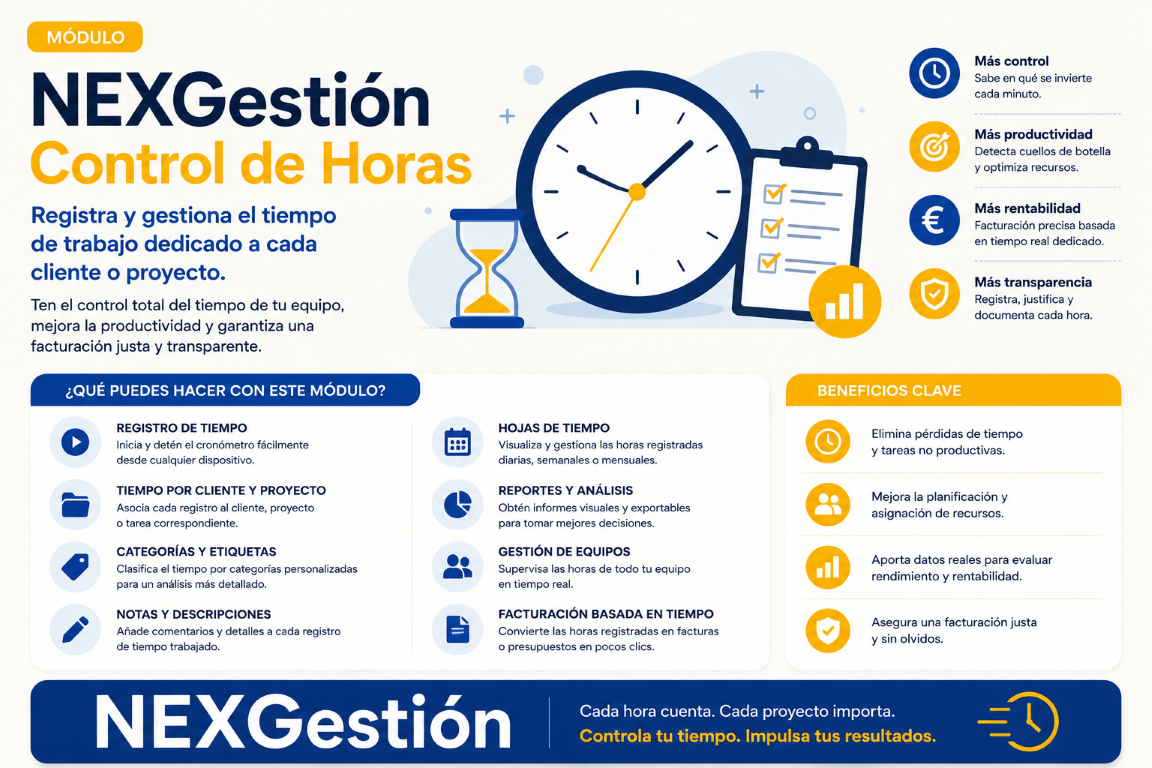
Time control is one of the biggest headaches in HR and project management. Excel spreadsheets, manual time clocks, forgetfulness... and in the end, inaccurate invoices or incorrect payrolls. With NEXGestión, you can create a custom time clock module in minutes, without coding, and connect everything with your project management.
Thanks to our low-code/no-code system, you can build your own project time clock in 3 steps:
Here's what our time clock looks like in action:
Want to see how others have transformed their management? Read our Success story in logistics or discover how home automation with Home Assistant can complement your office.
You don't need to know how to code. With the help of our integrated AI, you design your module in minutes. If you have an organizational problem, NEXGestión is the solution.
